
Get started
Up and building in four steps.
Free, no account. Works alongside your existing theme or with the Unyson+ theme.
Download the plugin Read the docsThe page builder
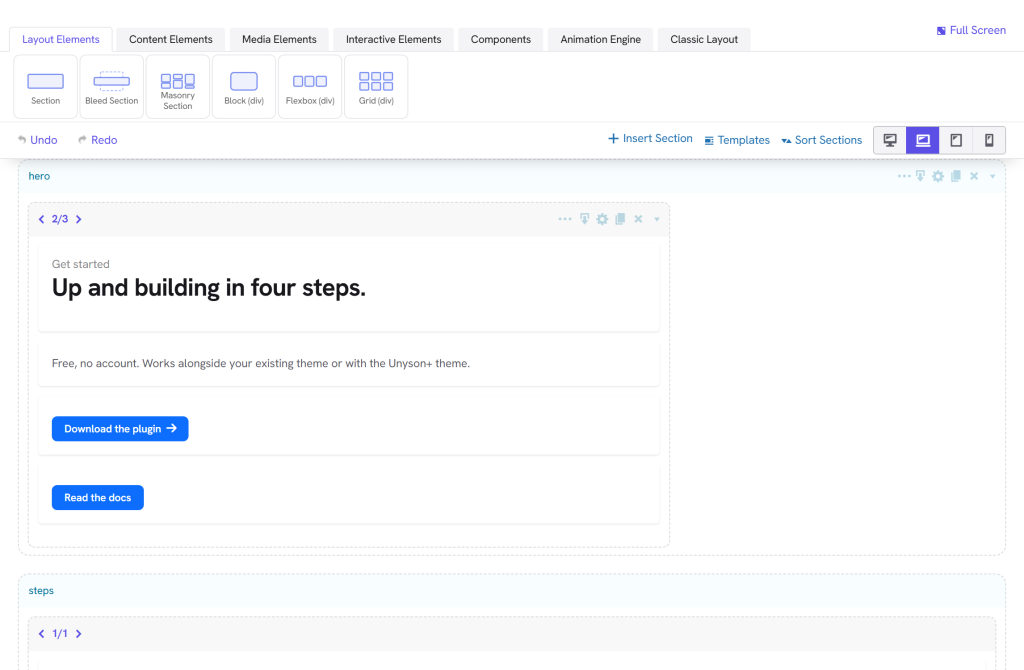
Build on the real front end.
Drag sections, rows and 70+ elements onto the page, arrange columns, and fine-tune every option. No code required.
Install
Four steps to a live site.
Step 1 — Install the plugin
Upload the Unyson+ plugin in Plugins › Add New (or via GitHub) and activate.
Step 2 — Activate the theme
Install the parent theme and the sample child theme, then activate the child.
Step 3 — Turn on extensions
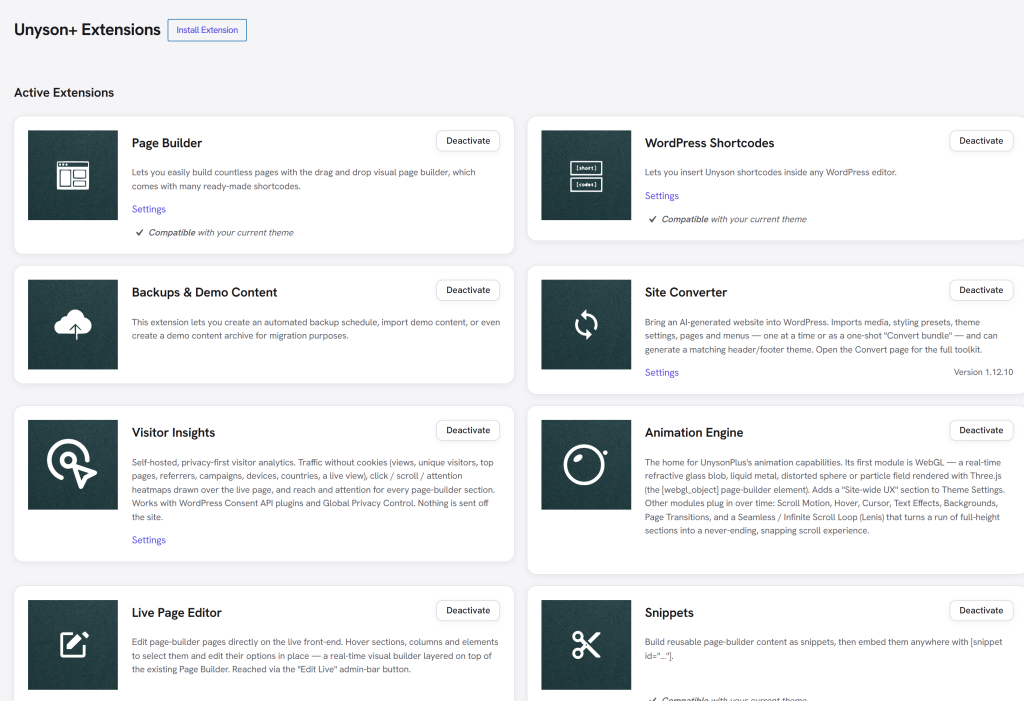
In the Unyson+ admin, toggle Page Builder, Forms, Portfolio and the rest.
Step 4 — Start building
Create a page, open the builder, drag elements, publish.
Extensions
Turn on only what you need.
Page builder, forms, custom fields, portfolio, SEO, the Site Converter and more. Each is an extension you flip on in the Unyson+ admin.
Plugin (framework)
The drag-and-drop framework and all 30+ extensions.
Theme + child theme
The clean, responsive parent theme and a sample child theme.